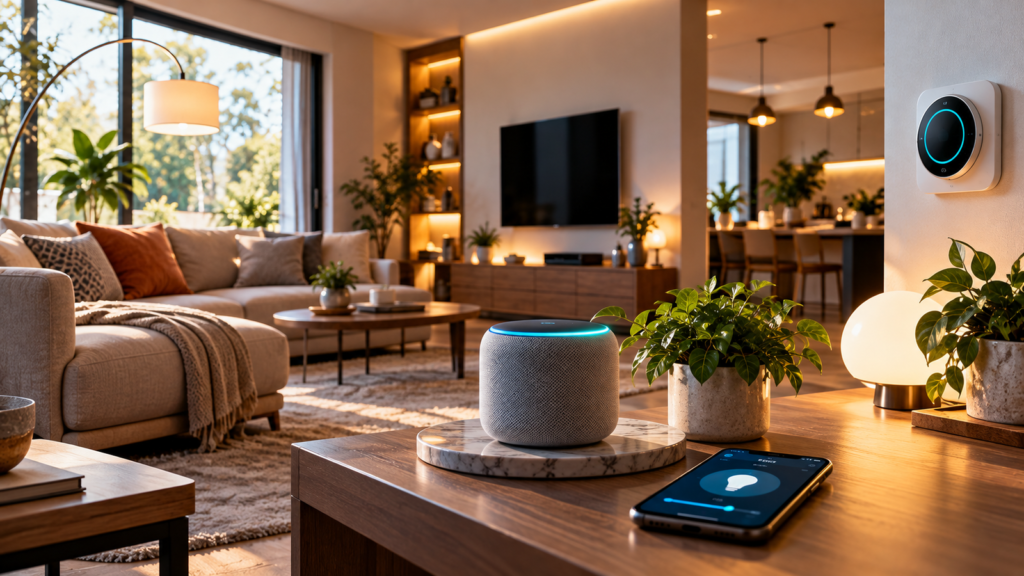

Smart Home Technology for Beginners: Devices, Benefits and Costs
Smart home technology is changing the way people manage their homes. From controlling lights with a smartphone to adjusting the temperature automatically, smart devices can make everyday tasks more convenient, improve energy management, and help people monitor their homes remotely.
However, getting started with smart home technology can feel confusing. There are many devices, connectivity standards, applications, and price ranges to consider. Beginners may wonder which smart home devices are actually useful, whether they need a smart speaker, and how much it costs to build a connected home.
The good news is that you do not need to replace all your existing appliances or spend a lot of money to get started. You can begin with one or two affordable devices and gradually expand your setup as your needs change.
In this guide, you will learn what smart home technology is, how it works, which devices are worth considering, what benefits and risks to expect, and how to estimate the cost of setting up a smart home.
Whether you live in an apartment, rent a property, or own a house, this beginner-friendly guide will help you make informed decisions.
What Is Smart Home Technology?
Smart home technology refers to connected devices that allow you to monitor, control, or automate certain household functions.
These devices may connect through Wi-Fi, Bluetooth, Zigbee, Thread, or other communication technologies. Depending on the product, you can control them using a smartphone application, voice assistant, physical switch, sensor, or automation routine.
For example, a smart bulb may let you turn a light on from your phone. A smart door sensor can send an alert when a door opens, while a compatible thermostat can adjust heating according to your schedule.
Some smart home devices communicate directly with your phone or home network. Others use a hub or cloud service to provide additional features.
A smart home does not necessarily require every device to be connected to the internet. Some systems can perform certain local automations even when the internet connection is unavailable.
Examples of Smart Home Technology
Common smart home devices include:
- Smart lights and bulbs.
- Smart plugs and compatible switches.
- Smart speakers and voice assistants.
- Smart security cameras.
- Video doorbells and door sensors.
- Smart thermostats and temperature sensors.
- Smart locks.
- Robot vacuum cleaners.
- Smart TVs and streaming devices.
- Water leak and smoke detection devices.
The most useful devices depend on your home, budget, daily routine, and existing appliances.
How Does a Smart Home Work?
A smart home typically combines connected devices, a control method, and automation rules.
Understanding these basic components will help you choose products that work well together.
1. Smart Devices
These are the physical products that perform tasks. Examples include lights, plugs, sensors, cameras, and compatible appliances.
Some devices connect directly to Wi-Fi, while others use a separate communication protocol.
2. A Control System
You need a way to manage your devices. This may be a mobile application, voice assistant, wall switch, remote control, or smart home hub.
Some manufacturers provide their own applications, while other products support broader smart home platforms.
3. Connectivity
Smart home devices communicate through technologies such as Wi-Fi, Bluetooth, Zigbee, and Thread.
- Wi-Fi: Common for devices that connect directly to your home network.
- Bluetooth: Often used for nearby connections and initial setup.
- Zigbee: A low-power wireless technology frequently used for sensors, bulbs, and other smart devices.
- Thread: A low-power mesh networking technology designed for connected devices.
Not every device supports every technology. Check compatibility before purchasing products from different brands.
4. Automation Rules
Automation allows devices to respond to specific conditions without requiring you to control them manually each time.
For example, you might configure compatible lights to turn on at sunset or receive an alert when a door sensor detects an unexpected opening.
Automations can save time, but they depend on reliable devices, correct settings, and sometimes an internet connection or hub.
Best Smart Home Devices for Beginners
The easiest way to start building a smart home is to choose devices that solve everyday problems. You do not need to buy everything at once.
1. Smart Bulbs
Smart bulbs are among the simplest smart home devices to install.
Depending on the model, they can be controlled through a mobile application, dimmed remotely, or programmed to turn on and off at specific times.
Some smart bulbs also offer adjustable color temperature and colored lighting.
Benefits of smart bulbs:
- Convenient remote control.
- Scheduled lighting.
- Adjustable brightness on compatible models.
- Easy expansion to additional rooms.
What to consider: Check the bulb fitting, voltage requirements, Wi-Fi or hub compatibility, and whether the bulb works with your preferred control platform.
Smart bulbs generally need to remain connected to power. Turning off their wall switch may prevent remote control until power is restored.
2. Smart Plugs
Smart plugs allow you to control compatible electrical devices by switching their power on or off.
For example, you may use one to schedule a lamp or turn a suitable appliance off remotely.
They are often attractive to beginners because they can add basic automation without replacing the connected appliance.
However, a smart plug does not make every device smart. It generally cannot control advanced functions that require a device’s own electronics.
Important safety tip: Check the smart plug’s rated voltage, current, and supported load. Avoid using ordinary smart plugs with high-power appliances unless the manufacturer explicitly confirms compatibility.
Never use a smart plug to bypass electrical safety protections.
3. Smart Speakers and Voice Assistants
Smart speakers let you control supported devices through voice commands.
Depending on the platform, you may be able to turn lights on, set timers, play music, or activate an automation routine.
A smart speaker can also act as a central control point for compatible devices.
Before buying one, check which languages, services, and devices it supports. Consider microphone privacy settings if you prefer not to have a voice assistant listening for its activation phrase.
4. Smart Security Cameras
Smart security cameras can help you monitor selected areas of your home.
Depending on the product, features may include live video, motion notifications, night vision, two-way audio, and cloud or local recording.
Before purchasing a camera, consider where it will be installed, whether it needs indoor or outdoor protection, and how recorded footage will be stored.
Privacy is particularly important. Avoid placing cameras in private areas, secure the account with multifactor authentication, and use strong, unique passwords.
Check whether ongoing cloud storage fees apply.
5. Smart Door Sensors
Door and window sensors can notify you when an entry point opens or closes.
They may also trigger compatible automations, such as switching on a light when a door opens.
These sensors can be useful for basic home monitoring, but they are not a complete replacement for a properly designed security system.
Check battery life, communication range, hub requirements, and whether alerts continue working when the internet is unavailable.
6. Smart Thermostats and Temperature Sensors
In homes with compatible heating or cooling systems, smart thermostats can help automate temperature settings according to schedules and occupancy.
Temperature sensors can also help you monitor conditions in different rooms.
The potential energy savings depend on your climate, insulation, heating or cooling equipment, household behavior, and electricity prices.
Not every air conditioner or heating system supports a conventional smart thermostat. Check compatibility carefully before buying.
7. Robot Vacuum Cleaners
Robot vacuums can automate routine floor cleaning.
Depending on the model, they may support scheduled cleaning, mapping, obstacle detection, room selection, and automatic return to a charging station.
More advanced models may include mopping features or self-emptying docks.
Before choosing one, consider your floor types, furniture layout, thresholds, pet hair, maintenance requirements, and replacement consumables.
A robot vacuum can reduce manual work, but it will not eliminate the need for occasional cleaning and maintenance.
Benefits of Smart Home Technology
Smart home devices can offer several practical advantages when they are chosen carefully.
Convenience and Remote Control
One of the biggest benefits is the ability to control compatible devices without being physically next to them.
For example, you might switch off a connected lamp from your phone or check a camera while away from home.
Remote features usually require the appropriate application, account, network connection, and device configuration.
Energy Management
Smart lighting, compatible thermostats, and energy-monitoring devices can help users understand and manage electricity consumption.
Schedules and automations may prevent unnecessary operation, such as leaving certain lights on when they are not needed.
However, buying smart devices does not automatically reduce electricity bills. Savings depend on how the devices are used and how much energy they actually help conserve.
Improved Home Monitoring
Security cameras, entry sensors, and compatible alarms can provide alerts about selected events.
This can make it easier to check your home when you are away.
However, consumer smart devices can experience connectivity failures, false alerts, battery problems, and software issues. They should not be treated as a guarantee against burglary or other emergencies.
Automation of Daily Tasks
Smart home routines can reduce repetitive actions.
For example, a morning routine might switch on selected lights and activate another compatible device. An evening routine could turn off nonessential lights and adjust supported settings.
Automation is most useful when it simplifies a routine you already perform regularly.
Accessibility
Voice controls, scheduled actions, and remote switches can make some household tasks easier for people with mobility or accessibility needs.
The usefulness of these features depends on the person’s requirements and the reliability of the chosen devices.
Disadvantages and Risks of Smart Home Devices
Smart home technology is useful, but it also introduces costs and potential problems.
Privacy Concerns
Some smart devices collect information about usage patterns, voice interactions, device activity, or video recordings.
Review the manufacturer’s privacy policy and check what information is collected, where it is stored, and how long it is retained.
Disable unnecessary data collection features when possible.
Cybersecurity Risks
Connected devices can become targets if their software is outdated, passwords are weak, or accounts are compromised.
To improve security:
- Change default passwords where applicable.
- Use unique passwords for device accounts.
- Enable multifactor authentication when supported.
- Install firmware updates.
- Disable unnecessary remote access features.
- Buy from manufacturers that provide security updates.
You can also consider placing compatible smart devices on a separate guest or IoT network if your router supports it.
Internet and Compatibility Problems
Some devices depend heavily on cloud services, while others support local control.
If a cloud-dependent service becomes unavailable, certain features may stop working.
Products from different manufacturers may also require separate applications or may not support the same automation platform.
Before buying, check compatibility and decide which functions must continue working without an internet connection.
Ongoing Costs
Some devices require subscriptions for video storage, advanced detection, or additional features.
You may also need to replace batteries, purchase a hub, or upgrade your Wi-Fi equipment.
Consider the total cost of ownership rather than focusing only on the initial purchase price.
How Much Does a Smart Home Cost?
The cost of a smart home depends on the devices you select, the number of rooms, the communication technology, and whether installation or subscriptions are required.
The following figures are illustrative planning estimates in US dollars, not current product quotations. Actual prices vary by country, brand, features, taxes, and availability.
| Setup | Illustrative budget | What it may include |
|---|---|---|
| Starter setup | $20–$75 | One or two smart bulbs or plugs |
| Basic setup | $75–$200 | Several lights, smart plugs, and basic controls |
| Connected home | $200–$600 | Multiple rooms, sensors, and selected security devices |
| Advanced setup | $600+ | More devices, hubs, cameras, locks, or integrated systems |
These ranges are examples rather than fixed market prices. Security installations, compatible thermostats, premium appliances, and professional electrical work can increase the total considerably.
Example: A Basic Smart Home Budget
Suppose you want to automate lighting and control a few household devices.
Your initial shopping list might include:
- Two compatible smart bulbs.
- One smart plug.
- A compatible phone application.
- An existing reliable Wi-Fi router.
If you choose devices that work directly with your network and do not require a paid subscription, you may avoid some additional expenses.
Before buying, compare the price of each device, its electricity requirements, warranty, and any ongoing costs.
Hidden Costs to Consider
The purchase price is only one part of a smart home budget.
Remember to consider:
- Smart home hubs or bridges.
- Cloud storage subscriptions.
- Replacement batteries.
- Additional Wi-Fi coverage.
- Compatible switches or electrical accessories.
- Installation fees.
- Replacement devices when older products stop receiving updates.
A simple setup with a few useful devices may provide more value than an expensive system filled with features you rarely use.
How to Set Up a Smart Home Step by Step
If you are a beginner, follow a gradual approach rather than trying to automate your entire home at once.
Step 1: Identify Your Main Goal
Decide what you want to improve.
Do you want more convenient lighting, basic security monitoring, easier control of appliances, or better energy management?
Choosing a clear goal prevents unnecessary purchases.
Step 2: Check Your Wi-Fi and Devices
Make sure your home network provides adequate coverage where the devices will be installed.
Check your router’s capabilities and confirm whether the products require 2.4 GHz Wi-Fi, a hub, Bluetooth setup, or another connection method.
Step 3: Choose a Compatible Ecosystem
Consider whether you prefer a particular voice assistant, mobile platform, or smart home system.
Look for compatibility labels and confirm that the specific device supports the functions you need. Support can vary by product model and region.
Matter is a smart home interoperability standard that helps compatible products work across supported ecosystems, but it does not guarantee that every feature works identically on every platform.
Step 4: Install One or Two Devices
Begin with an easy product, such as a smart bulb or compatible smart plug.
Follow the manufacturer’s installation instructions and use the official application.
Avoid modifying electrical wiring unless you are qualified to do so or have appropriate professional assistance.
Step 5: Create a Simple Automation
Once the device works correctly, set up a schedule or routine.
For example, configure a compatible light to turn on at a selected time or create a routine that switches off designated lights when you go to bed.
Test the automation to make sure it behaves as expected.
Step 6: Secure Your System
Use strong passwords, enable multifactor authentication, and install updates.
Review privacy settings and disable features you do not need.
Step 7: Expand Gradually
After using your first devices for a while, identify what else would make a meaningful difference.
Add more products only when they solve a real problem and fit your budget.
Smart Home Technology Tips for Beginners
A few practical decisions can help you avoid common mistakes.
Buy for your needs, not just for features. A simple smart plug may be more useful than an expensive connected appliance if your main goal is controlling a lamp.
Check compatibility before purchasing. Confirm whether a device works with your existing equipment, preferred platform, and local electrical standards.
Read the privacy policy. Understand whether the product requires an account, collects usage data, or charges for cloud storage.
Keep software updated. Security updates can address vulnerabilities and improve reliability.
Plan for outages. Consider what happens if your Wi-Fi, electricity, or a cloud service becomes unavailable. Retain manual controls where practical.
Choose reliable manufacturers. Review update policies, warranties, support options, and the availability of replacement parts.
Measure real benefits. If energy savings are your goal, compare actual usage before and after making changes rather than assuming that automation automatically saves money.
Frequently Asked Questions About Smart Home Technology
1. What is smart home technology in simple words?
Smart home technology uses connected devices to help you control or automate household functions such as lighting, security monitoring, temperature settings, and appliance operation.
2. What is the easiest smart home device for beginners?
Smart bulbs and compatible smart plugs are common starting points because they are relatively simple to set up and can provide useful remote control or scheduling features.
3. Does a smart home need Wi-Fi?
Many smart home devices use Wi-Fi, but not all do. Some use Bluetooth, Zigbee, Thread, or other technologies. Certain systems can also support local control without an active internet connection.
4. How much does it cost to build a smart home?
A small setup may cost tens of dollars, while a larger system can cost hundreds or more. The final price depends on device selection, installation, hubs, subscriptions, and local pricing.
5. Are smart home devices safe?
They can be reasonably secure when configured correctly, but no connected device is risk-free. Use strong passwords, enable multifactor authentication, install updates, and review privacy settings.
6. Can smart home devices work without the internet?
Some devices support local control and automations without internet access, while others depend on cloud services. Check the manufacturer’s documentation before buying if offline operation is important.
7. Do smart home devices save electricity?
They can help reduce unnecessary energy use through scheduling, monitoring, and automation. Actual savings depend on the device, your behavior, and your household’s energy consumption.
8. Can renters use smart home technology?
Yes. Renters can often start with portable devices such as smart bulbs, compatible plugs, and battery-powered sensors. Avoid permanent electrical or structural changes without the required permission.
9. What is Matter in smart home technology?
Matter is an interoperability standard designed to help compatible smart home devices work across supported platforms. Check the exact device and feature compatibility before purchasing.
10. What should I buy first for a smart home?
Start with the device that addresses your biggest everyday need. For many beginners, that means a smart bulb for convenient lighting or a compatible smart plug for basic appliance control.
Conclusion
Smart home technology can make everyday life more convenient by connecting lighting, sensors, security equipment, and selected appliances. It can also support automation, home monitoring, accessibility, and energy management.
However, a successful smart home is not about purchasing the largest number of devices. It is about choosing compatible products that solve real problems while keeping costs, privacy, and security under control.
Begin with one or two affordable devices, learn how they work, and gradually expand your setup as needed. Check compatibility before buying, protect your accounts, and understand which features depend on an internet connection or subscription.
With careful planning, even a small smart home setup can introduce useful automation without requiring a major investment.